How to Put a Link in Your TikTok Bio: A Step-by-Step Guide
Learn exactly how to add a clickable link to your TikTok bio, what the eligibility requirements are, and how to get more from the one link TikTok gives you.
 Link in Bio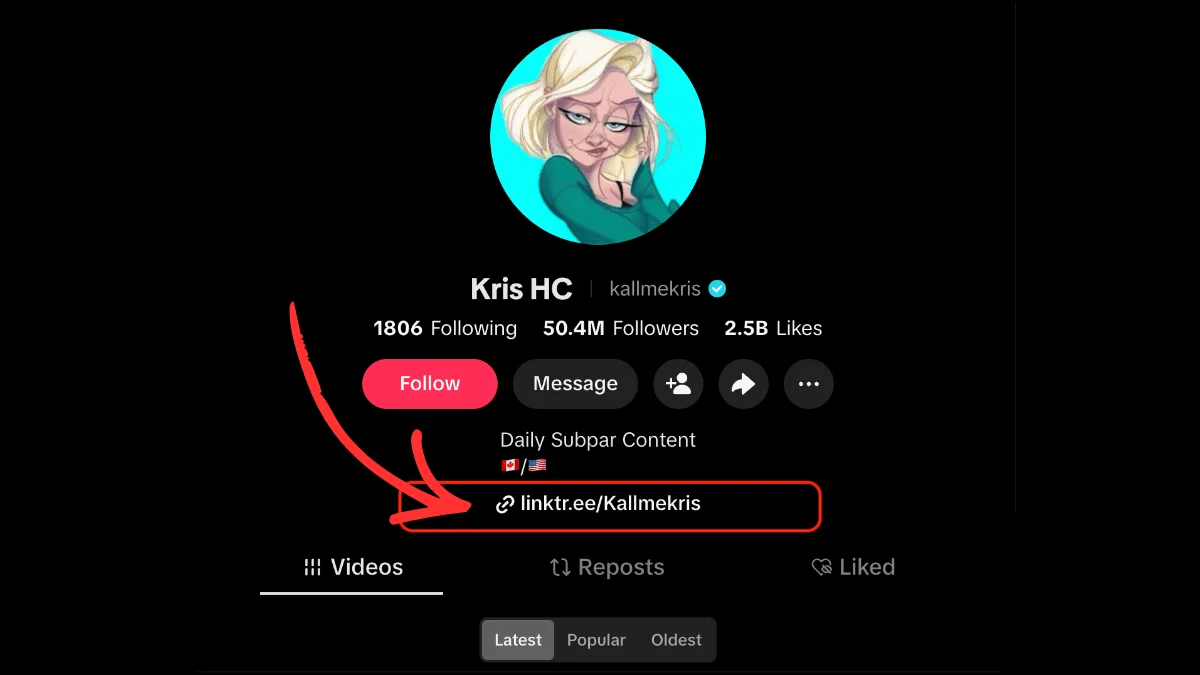
TikTok gives you exactly one clickable link on your entire profile. That single URL is the bridge between your videos and everything you actually want viewers to do, whether that's visiting your store, reading your newsletter, or booking a session.
Adding it is straightforward once you know the steps and the rules. This guide walks you through how to put a link in your TikTok bio, what TikTok requires before you can, and how to squeeze more out of that one-link limit. (TikTok's own help article on linking a website covers the bare mechanics. This guide picks up where that leaves off.)
Do you need 1,000 followers to add a link on TikTok?
No, but the alternative is narrower than most guides suggest. TikTok's help centre states the rule directly: you can add a website link to your profile "if you have at least 1,000 followers, or if you have a Verified Business Account."
That second route is the one worth reading carefully. "Verified Business Account" in TikTok's documentation links to business registration on TikTok's ads platform, which is not the same as flipping the in-app "Switch to Business Account" toggle in your settings.
Plenty of creators report that the in-app Business switch alone unlocks the Links field, and it costs nothing to try. But it's worth knowing that TikTok's own wording sets a higher bar than "switch account type in thirty seconds," which is what most guides on this question tell you. If you're under 1,000 followers, treat the in-app switch as the first thing to test rather than a guaranteed fix.
→Business vs. Creator account
TikTok offers two account types beyond Personal: Creator and Business. Creator accounts don't change the follower requirement. If the bio link is what you're after, Business is the right account type to try. Just don't assume it's sufficient on its own.
How to add a link in your TikTok bio (step-by-step)
Once you meet the eligibility requirements, adding a link takes under a minute in the TikTok mobile app.
Step 1: Open your profile. Tap the Profile icon in the bottom-right corner of the app to land on your own profile page.
Step 2: Tap "Edit profile." You'll find this button directly under your username, next to your profile photo.
Step 3: Find Links. In the profile editor, look for the Links row and tap Add next to it. (This replaced the older "Website" field. If you're following a guide that tells you to scroll to a field labelled Website, it's out of date.)
Step 4: Paste your URL. Enter the full web address, including the https:// prefix. TikTok accepts standard links to any public website, including link-in-bio pages like linktr.ee/yourname.
Step 5: Follow the prompts to save. TikTok reviews new links briefly before they go live. Most are approved within a few seconds.
Once saved, your link appears on your profile page as a tappable URL directly under your bio text. Tapping it opens the destination inside TikTok's in-app browser.
One current restriction worth knowing: TikTok no longer supports links that open or log you into other social media apps. You can still link to those platforms' websites, just not deep links that hand off into the app itself.
How to switch to a Business account (if you don't qualify yet)
If the Links option isn't available on your account, try switching to a Business account. It's free, reversible, and doesn't change how your videos look or perform.
- Go to your profile and tap the three-line menu in the top-right corner.
- Tap Settings and privacy, then Account.
- Tap Switch to Business Account and follow the prompts.
- Choose a business category that loosely fits what you do (it's not publicly displayed prominently).
- Return to Edit profile and check whether Links now appears.
If it doesn't, that's the gap described above: TikTok's documented alternative to 1,000 followers is a verified business account, which is a separate registration on its ads platform rather than an in-app setting. Worth knowing before you spend an afternoon on it.
You can switch back to a Personal account at any time, though you'll lose access to Business-specific analytics and the bio link if you drop below 1,000 followers.
How to edit or remove your TikTok bio link
To change or delete an existing link, follow the same steps as adding one. Open Edit profile, tap Links, and either replace the existing URL or remove it. Save when done.
There's no version history, so once you overwrite an old link, you can't recover it from TikTok. If you rotate links often (for campaigns, drops, or seasonal promotions), keep a note somewhere of past URLs.
Why TikTok only allows one bio link
It's worth knowing why this limit exists, because it shapes how creators build around it. TikTok restricts clickable links in captions, comments, and direct messages to protect against spam and to keep users inside the app. The bio link is the one officially sanctioned exit point.
Instagram has allowed up to five bio links since 2023. TikTok hasn't followed suit. That makes your one TikTok bio link significantly more valuable than the equivalent on Instagram, because every click-worthy destination you want to promote has to funnel through it. If you're unfamiliar with the broader concept, our primer on what "link in bio" actually means covers the background.
How creators work around the one-link limit
The standard solution is a link-in-bio tool. Instead of pointing your TikTok bio at a single destination, you point it at a landing page that houses multiple links. Followers land on that page, pick what they want, and go from there.
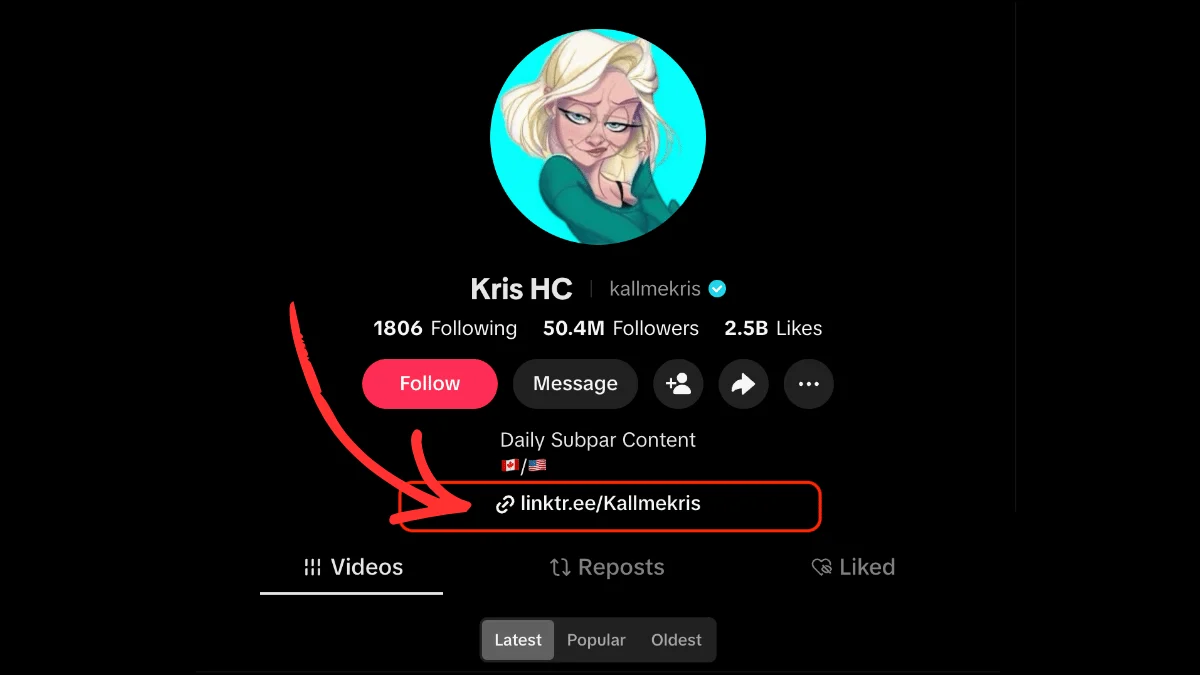
It's the setup you'll see on almost every major TikTok profile. Kallmekris (50M+ followers) points her bio at linktr.ee/Kallmekris. Charli D'Amelio, Bella Poarch, and Noah Beck do the same. One tap from their profile opens a landing page with every link they want to share, from tour dates to merch drops to the creators they're boosting that week.
Linktree is the most widely used link-in-bio tool for TikTok creators. It's the default choice for a reason: fast load times (which matters on TikTok's slow in-app browser), recognizable short URLs, and broad feature support for everything from product sales to email capture. If you've ever tapped a TikTok bio link and landed on a page full of clickable buttons, there's a good chance you were looking at a Linktree page.
Whatever tool you choose, the setup is the same: build your link-in-bio page, copy its URL, and add it under Links on your TikTok profile.
Best practices for your TikTok bio link
A few habits separate creators who get clicks from creators who don't:
- Match the link to your content. If your videos are all about baking, sending viewers to a generic homepage dilutes the momentum. Point them at a recipe library, a newsletter signup, or whichever destination actually pays off your video content.
- Update it for campaigns. Running a launch, a course cohort, or a seasonal sale? Swap in a campaign-specific link for the duration, then switch back.
- Call it out naturally. Saying "link in bio" works, but so do softer references like "I'll put the recipe on my profile." The less forced the mention, the better it converts. More on this in our how to grow on TikTok in 2026 guide.
- Use a fast-loading destination. TikTok's in-app browser struggles on weak connections. A link-in-bio page that loads in under two seconds holds visitors. One that stalls loses them before they can tap anything.
- Track your clicks. TikTok's native analytics don't show bio link clicks in detail. A link-in-bio tool gives you per-link click data so you can see which content is actually driving traffic.
- Consider monetization. If you're treating TikTok as a revenue channel, your bio link is the handoff point. Our breakdowns of creator income stacks and selling digital products as a creator show what works on the other side of that tap.
Frequently asked questions
Frequently Asked Questions
Why can't I add a link to my TikTok bio?
TikTok's stated requirement is at least 1,000 followers, or a Verified Business Account. If you're on a Personal or Creator account below 1,000 followers, the Links option won't appear in your profile editor. Switching to a Business account in-app is free and instant and is worth trying first, but note that TikTok's documentation points "Verified Business Account" at business registration on its ads platform, which is a separate process.
Do I need 1,000 followers to put a link in my bio?
Not necessarily. TikTok allows a profile link if you have at least 1,000 followers or a Verified Business Account, so accounts under 1,000 followers can still qualify through the business route. Switching to a Business account inside the app is free and takes about thirty seconds, and for many creators that is enough. But TikTok's own help centre links "Verified Business Account" to business registration on its ads platform, so treat the in-app switch as the first thing to test rather than a guaranteed unlock.
How many links can I put in my TikTok bio?
TikTok allows one clickable bio link at a time. To promote multiple destinations (store, newsletter, YouTube, affiliate links, etc.), creators typically use a link-in-bio tool like Linktree, which turns that single URL into a landing page with as many links as needed.
What's the best link to put in a TikTok bio?
It depends on what you want viewers to do. If you have one clear destination (a store, a booking page, a newsletter), link directly to it. If you have multiple destinations, use a link-in-bio tool so the one link TikTok allows opens a page with all your important links. Linktree is the most popular choice for TikTok creators.
Can I add a link in my TikTok bio on desktop?
Yes. Log in at tiktok.com, click your profile icon, and select Edit profile. The same Links setting is available on desktop, with identical eligibility rules. For most creators, the mobile app is faster to work with day to day.
Why isn't my new bio link showing up?
TikTok occasionally holds new links for review, especially if the domain is new or has been flagged elsewhere. Wait a few minutes and refresh your profile. If it still doesn't appear, try saving again, and make sure the URL includes the https:// prefix.
Why did TikTok reject my bio link?
TikTok blocks links to certain categories, including competitor social platforms, adult content, and known phishing domains. If a legitimate link keeps getting rejected, routing through a well-established link-in-bio tool like Linktree usually resolves it, since those domains are rarely flagged.
Why is my TikTok bio link so slow to load?
TikTok uses an in-app browser that's notably slower than Safari or Chrome. Heavy link-in-bio pages with lots of images or tracking scripts make it worse. Choose a lightweight link-in-bio tool, keep images compressed, and avoid autoplaying video on your landing page.
Read more

The Best Link in Bio for TikTok
Learn how to leverage TikTok's one link spot and convert followers to customers with a good link in bio tool for TikTok.
What Does "Link in Bio" Mean? Explained for Every Platform
What "link in bio" means on Instagram, TikTok, Facebook and YouTube, where to find the link, and why creators use one.

The Best Link in Bio Tool for Instagram
Leverage your social media following, convert customers, and build a cross-platform audience with Linktree, the best link in bio tool for Instagram.